HTTP vs HTTPS: What's the Difference, and Why Should You Care?
You've probably seen it hundreds of times.
- Author
- Nannoy App
- Topic
- Career
- Published
- Read
- 1 min
You've probably seen it hundreds of times.
You open a website, glance at the address bar, and start doing whatever you came to do.
But have you ever noticed whether the website starts with HTTP or HTTPS?
It might look like a tiny difference, but it matters more than you think.
Let's break it down.
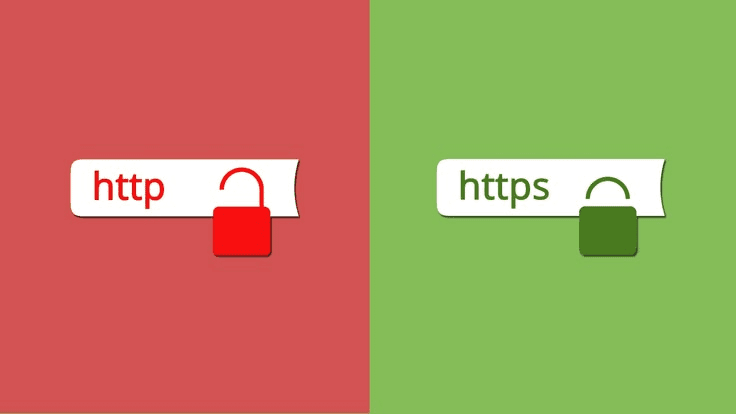
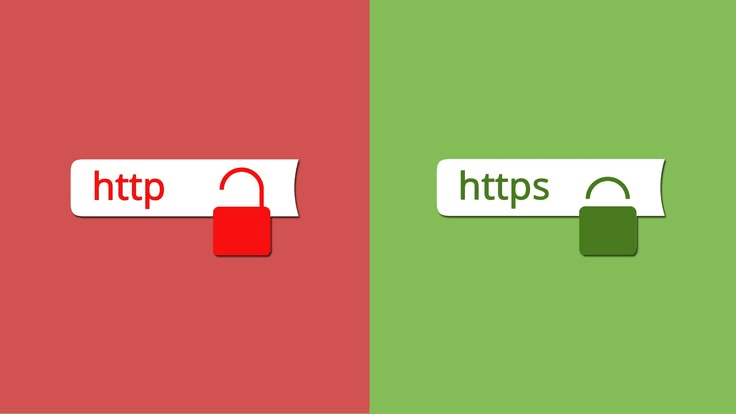
HTTP stands for Hypertext Transfer Protocol. It's a set of rules that allows your browser and a website's server to communicate.
HTTPS stands for Hypertext Transfer Protocol Secure. It does the same thing, but adds encryption to protect information travelling between your browser and the website.
Think of it this way.
When you visit a website using HTTP, the information exchanged isn't protected by HTTPS encryption. Depending on the connection, someone who can intercept that traffic may be able to read or alter it.
With HTTPS, that communication is encrypted, making it much harder for someone to read or tamper with the information while it's travelling between your browser and the website.
And this matters when you're entering passwords, signing into accounts, or sharing personal information online.
But here's something important: HTTPS doesn't automatically mean a website is safe.
Scammers can create fake websites that use HTTPS too. The connection may be encrypted, but that doesn't mean the person behind the website has good intentions.
So, what should you do?
Before entering sensitive information, check the website address carefully. Make sure you're on the genuine website, not a fake one with a similar name.
Be cautious with unexpected links sent through WhatsApp, email, or social media. And never assume a website is trustworthy just because you see HTTPS or a padlock icon.
HTTPS protects your connection. It doesn't guarantee that the website itself is legitimate.
The next time you visit a website, take a second to look at the address bar.
It's a small habit, but understanding what you're looking at is part of staying safer online.
And if you're interested in learning more about cybersecurity and how the technology you use every day actually works, Nannoy can help you get started. Explore a personalised learning path, build your tech knowledge, and use your personal AI to ask questions whenever something doesn't make sense.
Because you don't have to be a cybersecurity expert to make smarter decisions online.
Sometimes, staying safer starts with knowing what to look for.
- Career
- Tech
Get the next post by email
New articles on tech careers and learning in Africa, sent from Substack.